 Sign in
How it works
Capture first. Tell the story. Keep it for decades.
Legacy asks for almost nothing up front. You save the moment while it is happening, add the story when you have a minute, and every person you love gets a timeline that fills itself in.
Tap Add a moment, take or pick the photo, video, voice note or words, tap who it is about, and save. Titles, dates and places can wait.
Every photo and video asks what the story is. Answer by voice, on video or in writing, today or ten years from now.
The moment lands on the timeline of everyone in it, once, without copies. Over the years each timeline becomes the story of a person.
The app itself
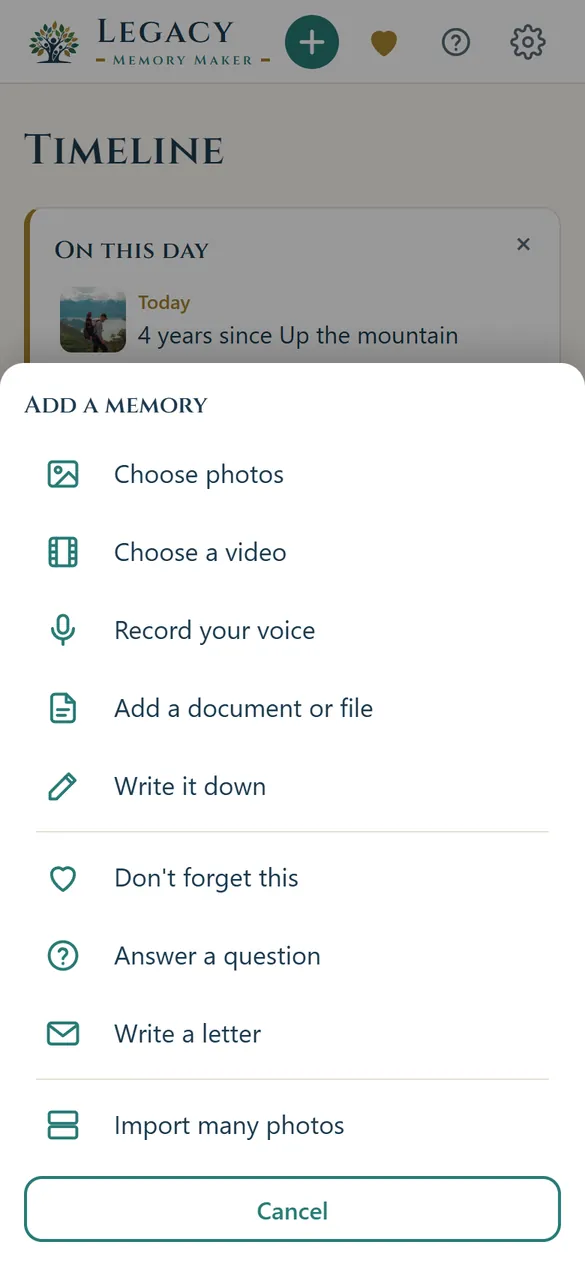
Everything the app wants from you fits on one screen.
No albums to file, no folders to name, no decisions to make before you save. The home screen exists to get you from "they just said something" to saved, in less time than it takes to open a camera roll.
- One button, on every screen. The + at the top opens every way to capture, and each one goes straight to the camera, the recorder or the words.
- Don't Forget This is always there. The ten-second path — type what they said, tap a face, done — is the heart beside the +.
- The faces are the filing system. Tapping a person is how you file a moment, and the diamond means everyone in the family at once.
- Lately, not everything. The feed shows the handful of moments you just saved, so the app opens on your own life rather than a loading archive.
People, not albums
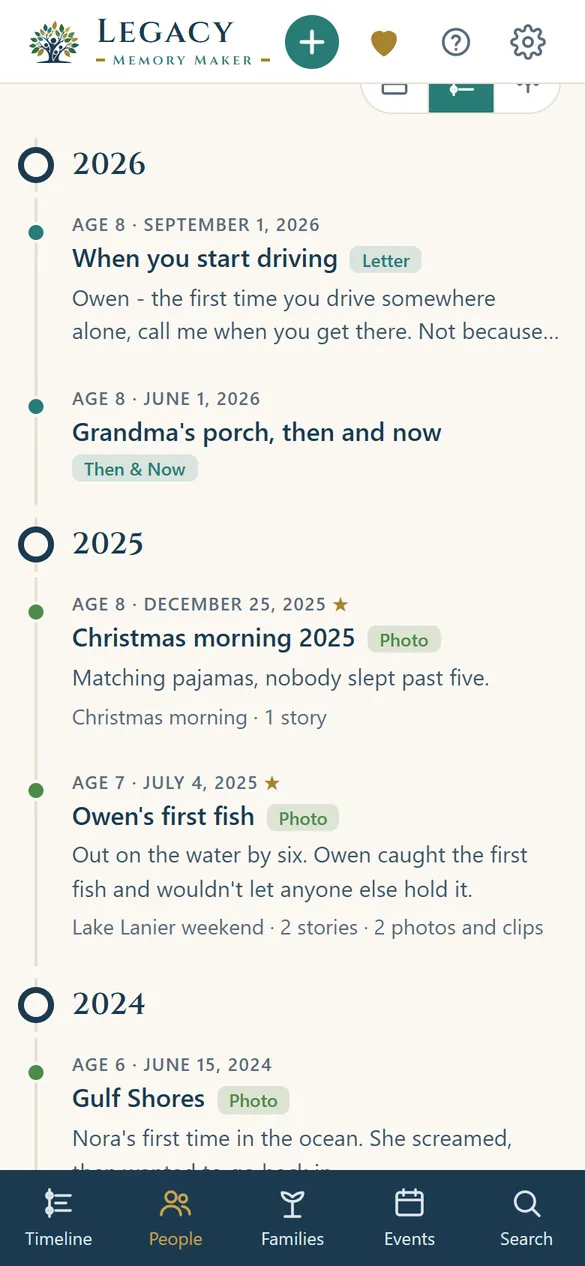
Every person gets a timeline that grows for decades.
Photo apps organize by date and album. Baby-book apps organize by child and age. Legacy organizes around the people in your life: your children, your parents, your spouse, your grandparents, you. One memory can belong to several people without copying a single file.
Open a person's profile and you find their memories, stories, voice recordings, videos, funny quotes, milestones, traditions, letters, and messages waiting for the future. A searchable story of your relationship with them.
Live it again
An archive you actually go back to.
Press Play on a person, a family or an event, and the years go by: photos drift, a story told aloud plays while its photos take turns, and a Then & Now sweeps from the old photo to the new. Save it as a show, or turn it into a video for the family.
Make a book of the same memories: a cover, a chapter for every year, the photos, the words and the stories. Print it at home, or save a PDF for a print shop.
Star the memories that matter and Legacy brings them back on their anniversary, with birthdays too, and a heads-up as many days ahead as you choose.
The whole family
The stories you don't know are with someone else.
Send your aunt a link by text. She opens it on her own phone, sees the photo and your question, and records what she remembers. No app, no account. It waits for you to add it.
Invite family to a family or an event, and choose for each memory who sees it: just you, the family, or specific people. They can add their own photos and stories, free.
On the Family plan, up to five keepers each have their own login, share a family space and storage, and name a successor to carry the archive on.
A year of small moments
You never set aside an afternoon for this. You catch it as it happens.
Nobody sits down to build an archive. What follows is one ordinary year — seven stops, none of them planned, most of them under a minute.
"Dad, is the moon following us home?"
He says it between bites and goes back to his peas. You have about ninety seconds before it is gone for good.
The first goal he ever scored
You already took the photo. On the walk back to the car you hold the record button and say what the face he made looked like.
The recipe nobody ever wrote down
She is explaining it anyway, the way she always does, with the part about her mother in the middle. This time the phone is on the counter, recording.
A photograph from 1974 with no one left to explain it
You photograph the print. Legacy asks who is in it and what was happening, and you tell it the half of the story you know before that half goes too.
The other half of the story
You send her a link with the 1974 photo and one question. That night she records eight minutes from her kitchen table, the half you never knew, and you add it to the memory.
The same stairs, the fourth year running
One photo, same angle as always. It lands beside 2023, 2024 and 2025 without you organizing anything.
A letter he cannot read yet
Everything you want him to know the first time he drives somewhere alone. You write it, then read it aloud so he gets your voice too.
Nobody ever scheduled any of it.
Seven stops a year, most of them shorter than this sentence took to read, and his timeline holds hundreds of moments, your voice through all of them.
On your phone and on the web
Saved the moment you tap, wherever you are.
The phone app saves everything on the phone first, encrypted, so a memory is never lost to a dead zone. It syncs on its own when you are back online.
Legacy works without an account. Sign in when you want a backup, and everything you save on the phone reaches your account by itself.
Sign in at app.legacymemorymoments.app to see, add and tell the stories of your memories on a computer, with the same people, timelines and families.

Save the moment. Tell the story. Leave a legacy.
On the web now. Coming to iPhone and Android.